What makes a glitch cyberpunk font work for underground music album art
A glitch cyberpunk font for underground music album art isn’t about random noise. It’s about controlled rupture broken glyphs, misaligned layers, and data decay that mirror the sound’s rawness. Think vinyl crackle translated into typography. If your album lives in basement shows, cassette tapes, or encrypted Bandcamp drops, this font style signals authenticity before a single note plays.
When does distortion actually serve the music and when does it distract
Use glitch fonts where contrast matters: track titles over monochrome synthwave backdrops, band names bleeding through CRT scanlines, or liner notes rendered as corrupted terminal output. Avoid them for legible credits, lyric sheets, or streaming thumbnails. A distorted headline on a black background? Strong. The same font used for copyright text at 8pt? Unreadable. Distortion works best when it reinforces theme not when it replaces clarity.
How to match the font to your project’s texture and tone
Consider your album’s sonic palette. Harsh industrial noise suits jagged, binary-split letterforms. Lo-fi vaporwave leans into soft RGB splits and gentle pixel drift. For punk-adjacent electronic acts, try fonts with intentional misregistration like ink smearing across a photocopied zine. Check the distortion font for cyberpunk game UI if you need interface-friendly variants. Or explore the glitch distortion font for dystopian film titles for tighter kerning and vertical compression.
Common technical mistakes and how to fix them fast
Overloading layers is the top error. Stacking three RGB shifts + scanlines + dithering kills readability. Start with one effect: offset the red channel only, or add subtle bit-crushing. Another mistake: using raster-based glitch fonts at small sizes. They blur. Stick to vector-based glitch fonts like those in the dedicated underground music pack for crisp scaling. Also avoid embedding animated GIFs in static album art; they won’t render on Spotify or Bandcamp.
Your quick-start checklist
- Test your font at actual size: zoom to 100% on a phone screen can you read the album title in low light?
- Export two versions: one fully distorted (for posters), one simplified (for digital thumbnails).
- Match color shifts to your palette don’t force magenta/cyan splits if your cover uses only neon green and black.
- Verify licensing: many free “glitch” fonts forbid commercial use. The underground music pack includes clear commercial rights.
- Run a grayscale test: convert your final layout to black-and-white. If the text vanishes, reduce distortion intensity.
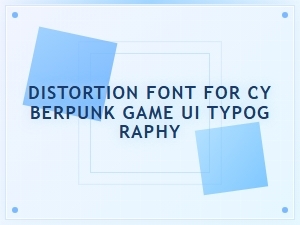 Cyberpunk Ui Typography with Glitch Distortion Fonts
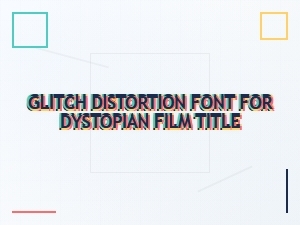 Glitch Distortion Font for Dystopian Film Titles
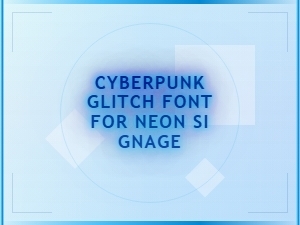 Cyberpunk Glitch Font for Neon Signage
 Tokyo Streetwear Meets Japanese Cyberpunk Typography
 Japanese Cyberpunk Font for Dystopian Film Posters
 Best Cyberpunk Fonts for Neon Signage